
UPDATE – February/06/2026
AutoUpgrade release 26.2 is now available on MOS, and the issue with downloading 19.30 has been fixed.
—————————————————————————————————-
As many of you may already know, Oracle has re-released Release Updates (RUs) 19.29 and 19.30 to address an issue.
Additional details are available here.
Marcus Vinicius was testing AutoUpgrade (AU) as part of some improvements in his Composer setup and noticed that AU is not downloading RU 19.30. It is still downloading RU 19.28.
I did some tests and confirmed the issue.
My config file:
global.global_log_dir=/home/oracle/autoupgrade/log
global.keystore=/home/oracle/autoupgrade/keystore
patch1.log_dir=/home/oracle/autoupgrade/log/DB1
patch1.folder=/home/oracle/autoupgrade/patches
patch1.patch=RU
patch1.target_version=19
patch1.platform=LINUX.X64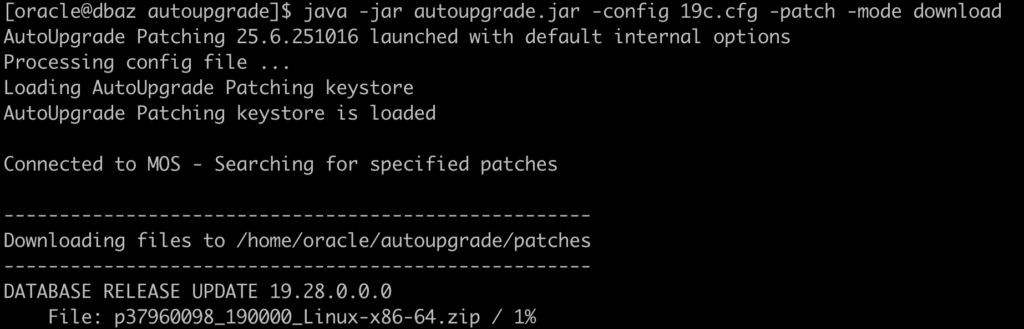
Let’s try to ask AU to download the 19.30 RU:
global.global_log_dir=/home/oracle/autoupgrade/log
global.keystore=/home/oracle/autoupgrade/keystore
patch1.log_dir=/home/oracle/autoupgrade/log/DB1
patch1.folder=/home/oracle/autoupgrade/patches
patch1.patch=RU:19.30
patch1.target_version=19
patch1.platform=LINUX.X64
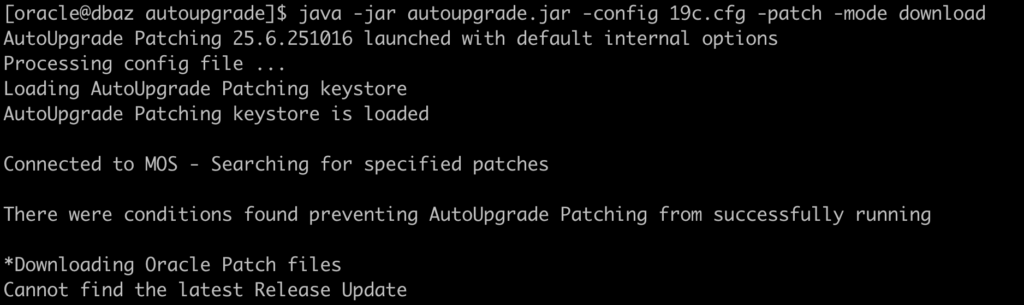
And AU was not able to find it:
Let’s try to ask AU to download the 19.30 RU using the patch number:
global.global_log_dir=/home/oracle/autoupgrade/log
global.keystore=/home/oracle/autoupgrade/keystore
patch1.log_dir=/home/oracle/autoupgrade/log/DB1
patch1.folder=/home/oracle/autoupgrade/patches
patch1.patch=38632161
patch1.target_version=19
patch1.platform=LINUX.X64
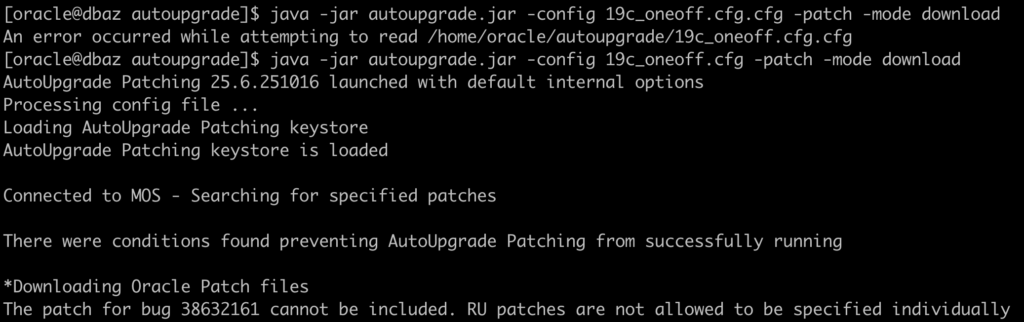
And AU was not able to download it:
I spoke with the AutoUpgrade (AU) developer, and he shared the following details:
RU 19.29
19.29 appears to be password-protected and is therefore not included in the ARU query results. It is only visible when querying directly by bug ID. There is likely nothing AU can do on its side to address this.
RU 19.30
RU 19.30 uses a different description format, which prevents AU from identifying it correctly. This is something that can be fixed on the AU side. The trailing text in the description is not in the expected format:
DATABASE RELEASE UPDATE 19.30.0.0.0 (REL-JAN260130)
If you are experiencing this issue, a fix is already available as of today (February/06/2026).
I want to clarify a few important points based on internal team feedback regarding this behavior:
At this point, we are simply waiting for the next AutoUpgrade build to complete. Once that build is available, it will include the fix and can be released so that AutoUpgrade users can download and apply 19.30 correctly.
The AutoUpgrade team is fully aware of this issue and is actively tracking it internally.
A fix has already been coded by the team and will address the behavior where AutoUpgrade cannot detect the 19.30 RU.
The root cause is not a defect in AutoUpgrade itself, but is related to the way the Release Updates (RUs) were relabeled on Oracle Support — specifically, how these patches were named and presented. This labeling change caused AutoUpgrade’s RU detection logic to miss the 19.30 RU in its query results, rather than a flaw in the tool’s core algorithms.