
We recently encountered an interesting situation shared by our Oracle ACE friend from Korea, Youngmin (Eric) Park.
He was attempting to move a 19.27 database that is already running on time zone version 44 (included in the 19.27 RU).
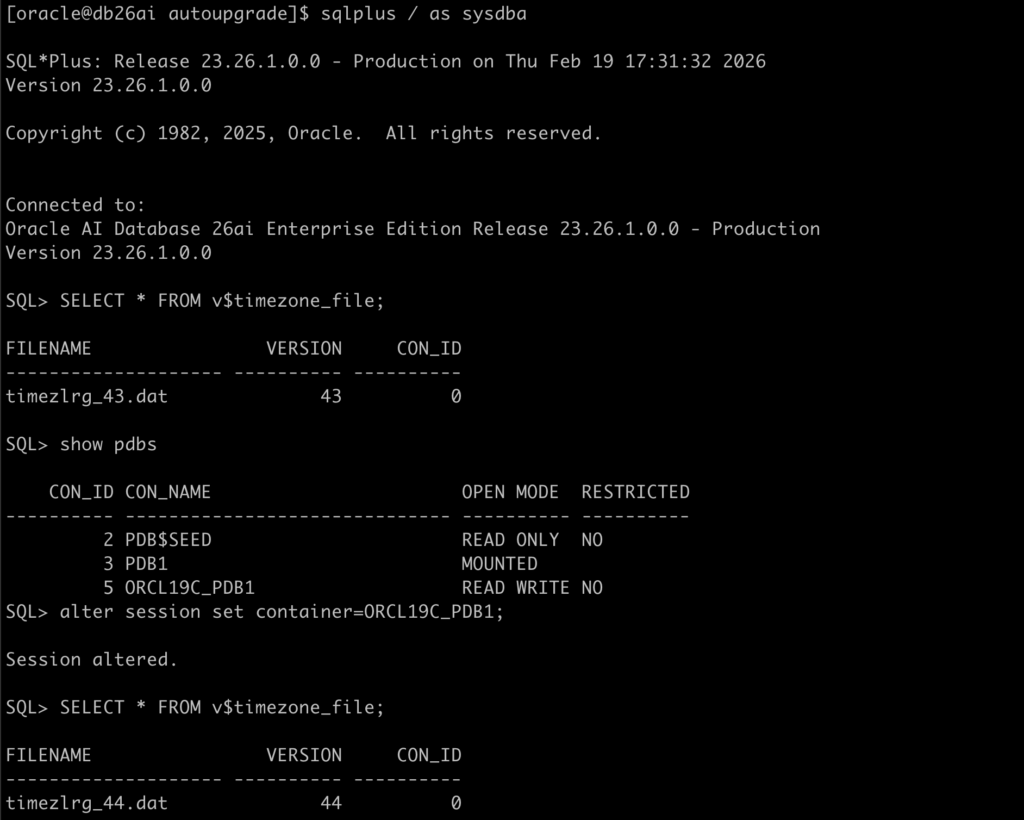
As Mike previously blogged, starting with 19.18, 19c RUs include all available DST patches. However, this does not appear to be the case with 26ai. Time zone version 44 is not included—only version 43 is available.
The exception seems to be BaseDB on OCI, where time zone version 44 is already present.
I received internal confirmation that DST version 44 will be included in the April RU for 26ai (Thank you, Carol).
In a multitenant architecture, it is possible to have PDBs running with different time zone versions — including scenarios where the CDB root is on an earlier version than some PDBs. However, the corresponding time zone files must be present in the Oracle home directory.
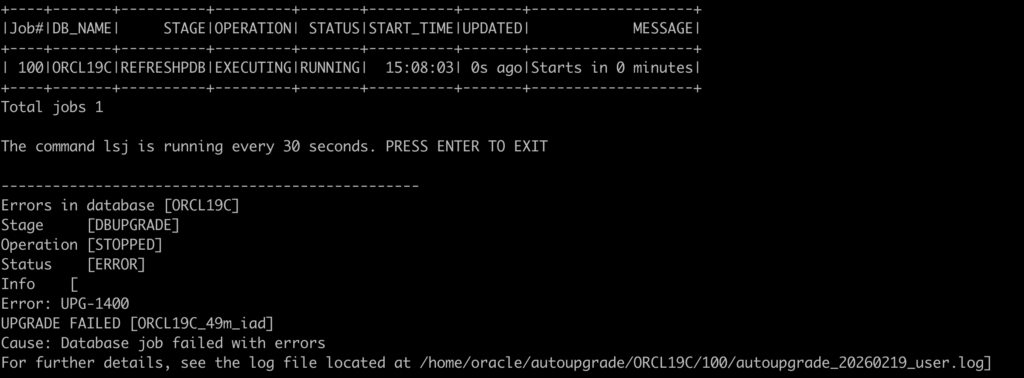
Even though the time zone version 44 file is not present in the 26ai Oracle Home, AutoUpgrade is still able to create the PDB and begin refreshing it from the 19c source database.
Once the PDB upgrade process begins, AutoUpgrade fails with the following error:
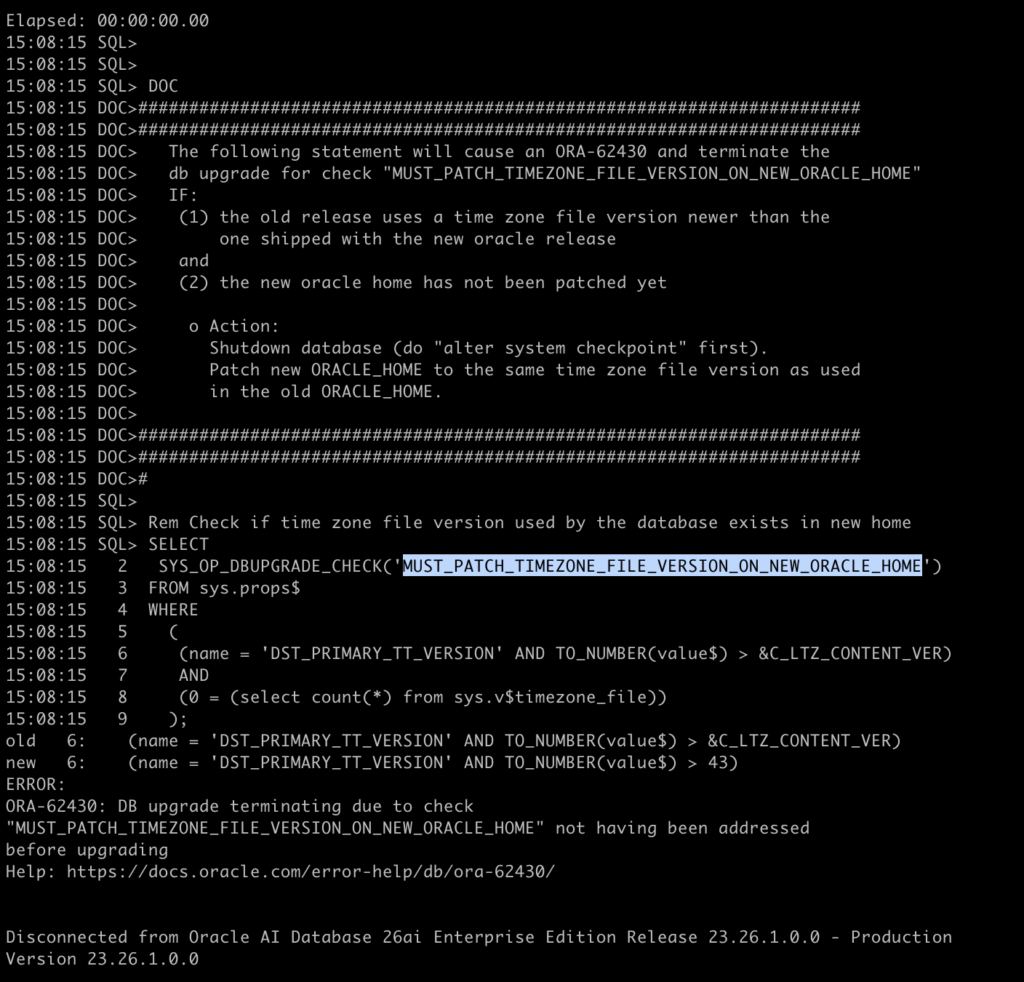
When you review the log file, you can see that the failure occurs during the check MUST_PATCH_TIMEZONE_FILE_VERSION_ON_NEW_ORACLE_HOME, before the upgrade process actually begins:
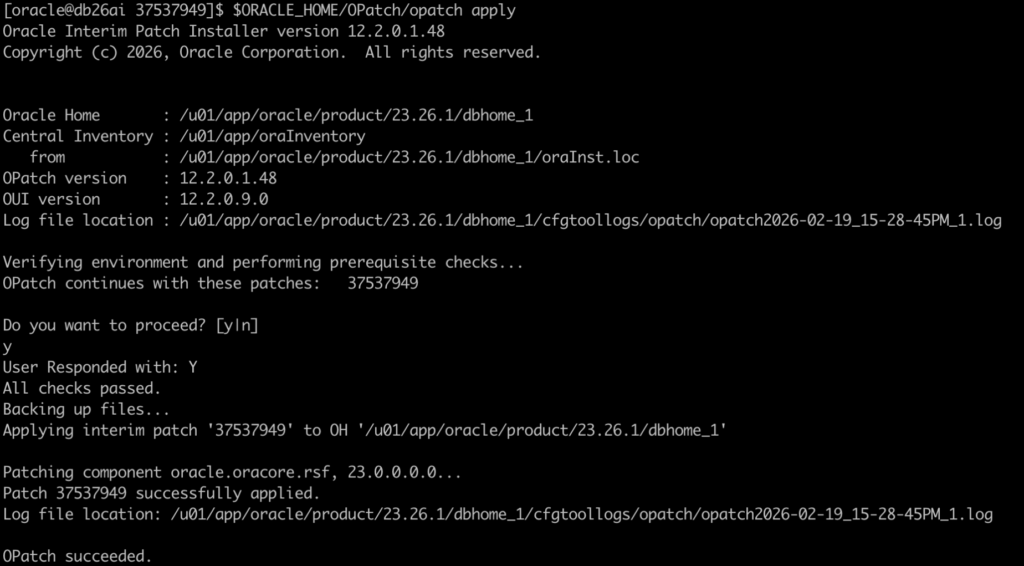
Let’s apply the patch 37537949 (DST 44) to the 26ai Oracle Home:
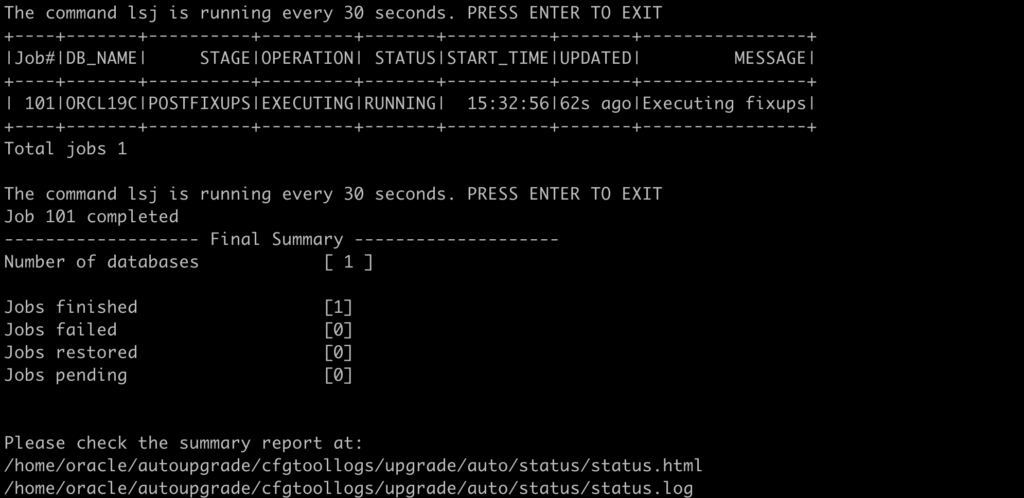
Let’s retry the upgrade:

As you can see, the upgrade now works fine:
In Summary:
The AutoUpgrade development team is currently working on a solution to cross-check key items—such as COMPATIBLE, time zone version, components, and others—between the source and target databases.
This enhancement will allow customers to validate these settings during the analyze phase in the source database, helping identify potential issues earlier in the process.
It should be available in an upcoming release.
I’m also discussing with the AutoUpgrade development team the possibility of adding a validation check before the upgrade starts. This would help prevent a generic error message and avoid forcing users to dig through log files to understand the root cause.